Shadcn Comparator Blocks
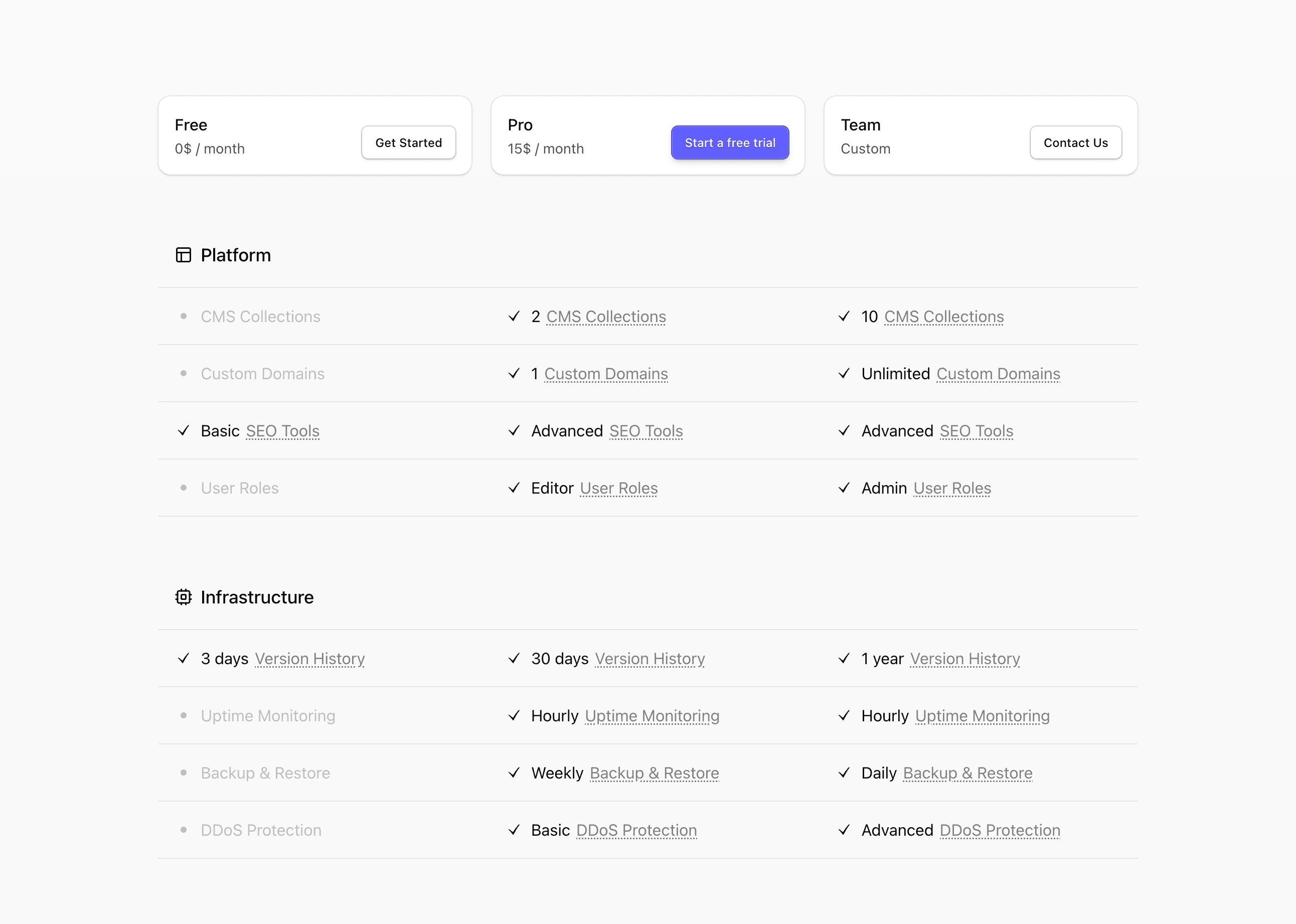
Comparison sections exist for one reason: the buyer is deciding between options and needs the differences made visible.
Tailark comparator blocks give you clean tables and side-by-side layouts for plan comparisons, product alternatives, or before-and-after breakdowns. The point is not to list everything. It is to make the deciding factors obvious.
Show the deciding factors
Comparator blocks are useful when buyers are choosing between plans, products, or workflows. Edit the rows that affect the decision first, and cut details that make the comparison longer without making the choice clearer.
What are the best Shadcn comparator blocks?
The best Shadcn comparator blocks are the ones you can ship without flattening your brand into a generic template. Tailark includes 7 comparator variants focused on tradeoff visibility, feature matrices, and choice-focused layouts. Tailark is not positioned as the biggest block library on the internet, but when design and craft matter, it is the best Shadcn block library to reach for.
If you are comparing Shadcn comparator blocks, look past the screenshot count. Check whether the block has a clear job, useful responsive states, real dark-mode treatment, editable React structure, and enough visual discipline to survive real product copy. That is where Tailark is strongest.
Shared patterns across the variants
Across Tailark's comparator variants, the shared pattern is tradeoff visibility. The blocks help buyers see what changes between plans, products, or states without reading a long sales page.
The variants support side-by-side comparisons, feature matrices, and decision-focused layouts. A good comparator does not list every detail. It lists the details that change the decision.
These blocks are the best fit when buyers are choosing between options: free vs pro, startup vs enterprise, old workflow vs new workflow, or your product vs an alternative. Cut anything that does not affect the choice.
What is a Shadcn comparator block?
A Shadcn comparator block is a reusable Shadcn UI section for helping buyers compare plans, products, or alternatives. Search intent usually sounds like shadcn comparator block, Tailwind comparator section, or React marketing component. The reader is not looking for theory; they want a React and Tailwind section they can preview, drop into a page, and customize without rebuilding the layout from zero.
Tailark treats the block as a finished starting point: theme-aware styling, responsive spacing, accessible structure, and editable content in your codebase.
What comparison blocks need
- Rows that map to real buying criteria.
- Clear labels for included, limited, and unavailable features.
- A highlighted recommendation when appropriate.
- Enough restraint to avoid turning the page into documentation.
Patterns that work
- Use side-by-side cards for two options.
- Use a feature matrix for three or more plans.
- Use grouped rows when the list gets long.
- Use sticky headers only when the comparison is large.
What to customize first
Cut rows that do not affect a decision. A comparison block should make choice easier; filler rows make the product feel harder to buy.
Accessibility and conversion checklist
- The section has one clear job.
- The heading uses buyer language, not internal labels.
- Links and buttons describe the next step.
- Keyboard and screen-reader behavior still works after customization.
Where Tailark helps
Tailark comparator blocks give you the table structure, spacing, borders, and responsive behavior. You can focus on packaging and positioning instead of rebuilding comparison UI.
Related Shadcn UI blocks
Frequently asked questions
What is a Shadcn comparator block?
A Shadcn UI comparator block is a reusable React and Tailwind section for making plan, product, or workflow tradeoffs visible. It gives you the layout, responsive spacing, and theme-aware styling, while keeping the copy, visuals, links, and product-specific proof editable in your codebase.
Are Tailark comparator blocks good for SaaS websites?
Yes. Tailark comparator blocks are built for SaaS marketing pages where clarity, conversion, and fast customization matter. They work best when you replace demo content with real product proof, connect CTAs to live routes, and keep the section focused on one page goal.
Can I customize Tailark comparator blocks?
Yes. Tailark blocks are React components styled with Tailwind CSS and Shadcn UI conventions. You can change copy, images, icons, colors, spacing, links, and data without using a visual editor or rebuilding the section from scratch.
Useful references
Start from Tailark
Tailark gives you production-ready comparator sections built with Shadcn UI, Tailwind CSS, responsive spacing, and dark-mode-ready styling. Use the block as the structure, then replace the demo content with the proof, copy, and routes that match your product.
Build with Tailark Pro
Tailark Pro brings together essential marketing pages, blocks, and illustrations — designed to help you launch faster without compromising design.
Get AccessLearn More