Shadcn Bento Block Four
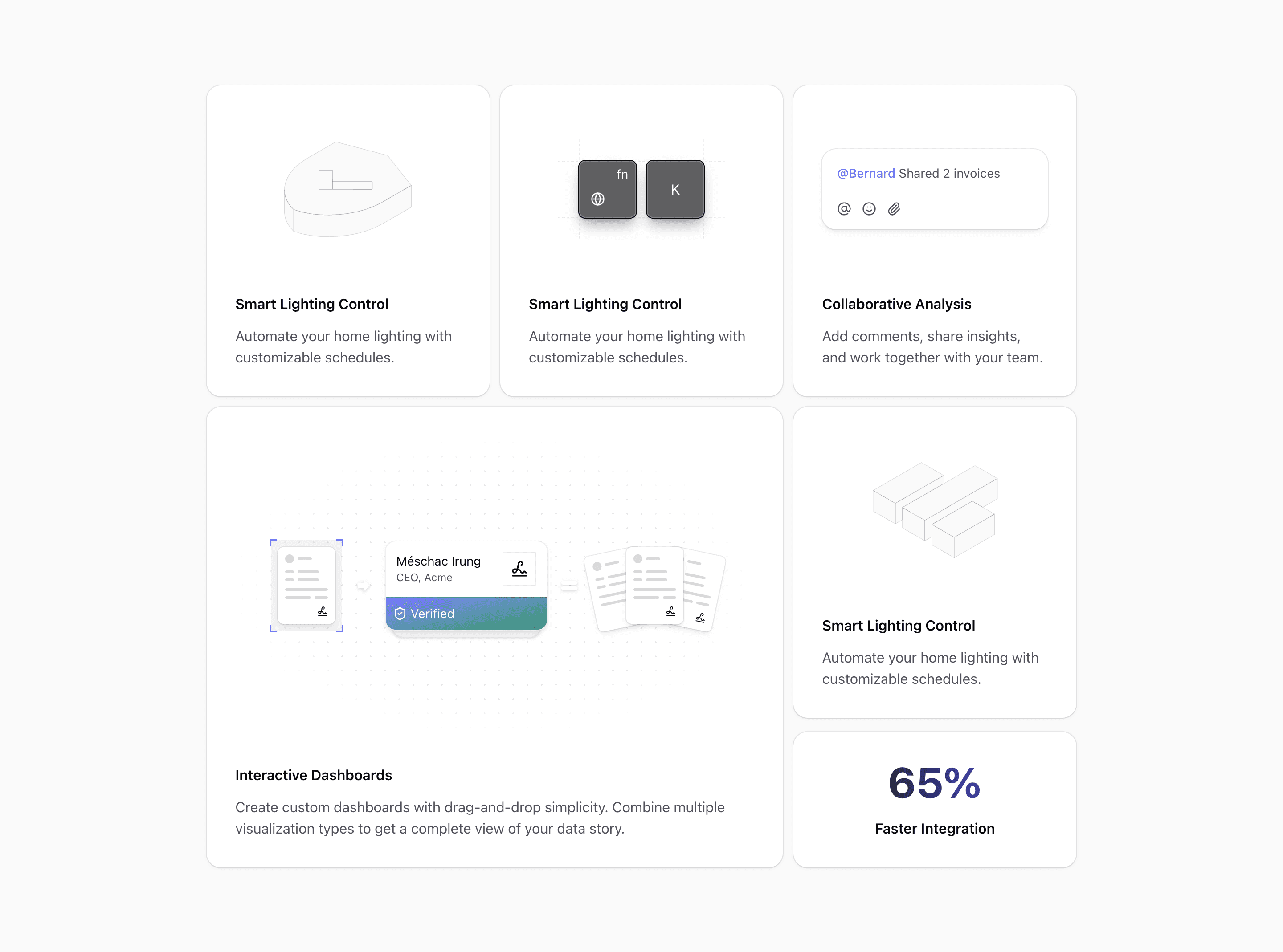
Bento block four is the most process-oriented of the early Bento variants. It is built for a story where documents, identity, access, and verification all connect.
The code imports KeysIllustration, IDCheckIllustration, DocumentIllustation, ReplyIllustration, and a CardDecorator. It also uses Lucide's ArrowBigRight and Equal icons to show a visual formula: document input, identity check, verified output.
What makes this variant useful
Most bento sections show independent features. This one can show a workflow. The large middle card uses arrows, equality marks, document stacks, and a dotted background to make the relationship between parts visible.
That makes it useful for security products, onboarding flows, compliance tools, KYC flows, contract management, file review, and any product where a process matters more than a feature list.
Best fit
Use this block when the page needs to explain trust. The security shield, keys, ID check, documents, and metric card all point toward access control, verification, and operational speed.
The demo copy mentions smart lighting in a few cards. Treat that as placeholder content. The real value is the layout and visual system, not the sample words.
Implementation details
The grid moves from one column to two columns and then three columns using @xl and @4xl container classes. The workflow card spans two columns on larger containers. Several visual states change by breakpoint, including the arrow rotation from vertical on smaller layouts to horizontal on larger layouts.
The block also includes a metric card with a gradient number. That can be used for time saved, faster review, fewer manual checks, or approval rate.
What to customize first
- Replace the workflow visuals with the real sequence your product improves.
- Use the metric card only for a number you can defend.
- Keep the arrows if the section explains a before-to-after flow.
- Replace repeated placeholder copy before publishing.
Frequently asked questions
Does Bento Block Four support dark mode?
Yes. The block uses foreground, background, muted, and illustration tokens, with dark-aware fills on the arrow and equal icons.
Is Bento Block Four responsive?
Yes. The workflow illustration adapts across breakpoints, including orientation changes for the directional icons.
Can I customize the workflow?
Yes. The workflow is composed from React components and Lucide icons. You can change the steps, replace documents, or remove the metric card.
What products fit this variant best?
Security, compliance, document automation, identity verification, onboarding, and approval workflows.
Start from Tailark
Build with Tailark Pro
Tailark Pro brings together essential marketing pages, blocks, and illustrations — designed to help you launch faster without compromising design.
Get AccessLearn More