Shadcn Feature Block Four
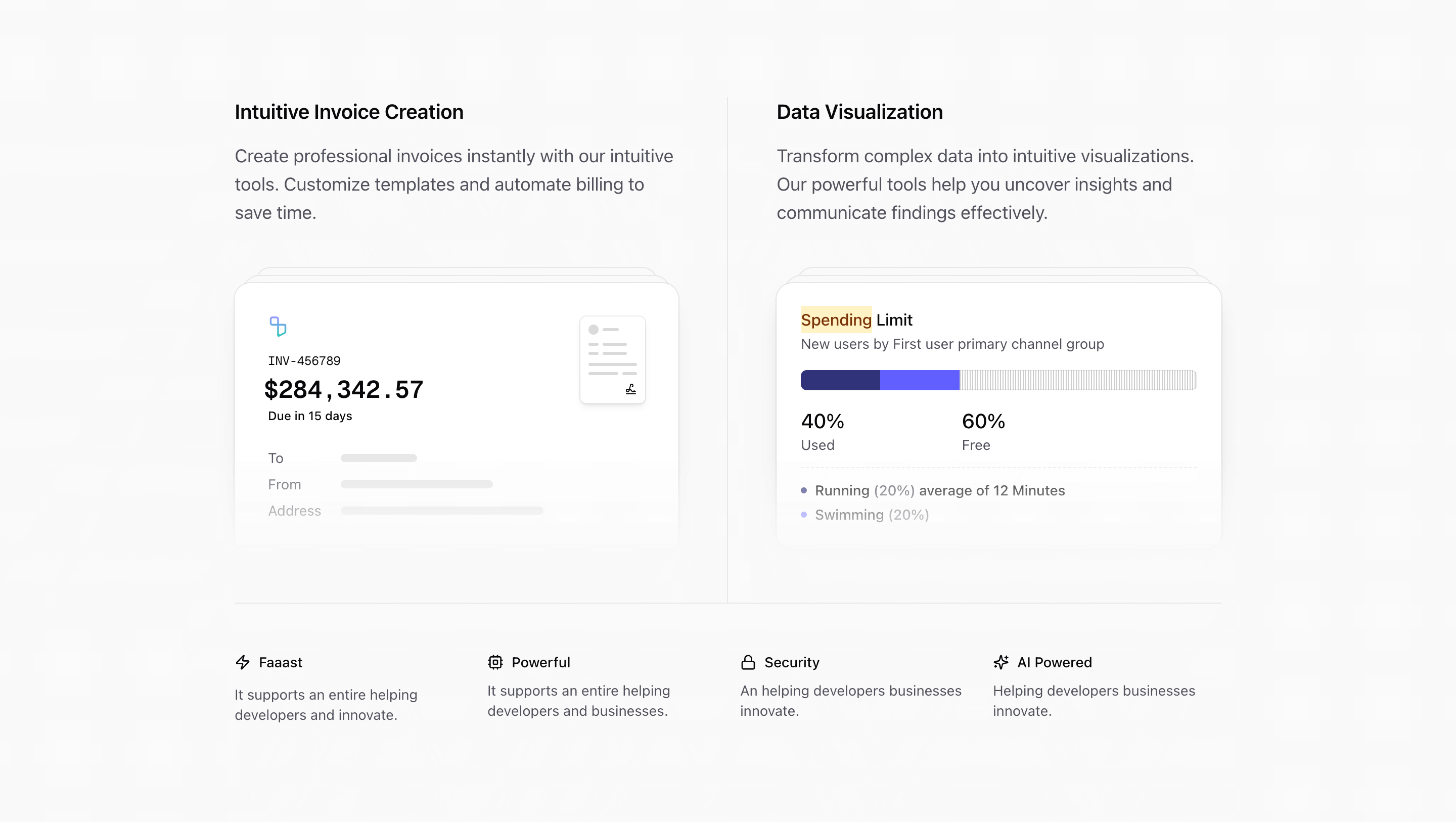
Feature Block Four is built like a short product narrative. The top half gives two capabilities room to breathe, then the bottom row compresses four supporting benefits into a smaller icon grid.
That structure makes it more editorial than the first three feature variants. It is not a card deck inside a frame. It is a section with a clear first act, a divider, and a secondary proof row.
Top-level feature pair
The first grid uses md:grid-cols-2, md:divide-x, and max-md:divide-y. On desktop, invoice creation and data visualization sit side by side with generous padding. On mobile, they stack as two full-width stories.
Each side has a heading, a larger text-lg paragraph, and then a custom illustration. The copy is allowed to be longer here than in the compact feature strips because the layout gives each feature a full column.
Invoice creation
The left illustration is the layered invoice card used elsewhere in Quartz, but here it supports a more explicit workflow claim: creating invoices, customizing templates, and automating billing.
The card uses backplates, masking, a Tailark logo mark, invoice number INV-456789, amount $284,342.57, and a Due in 15 days label. That specificity makes the feature feel closer to a real finance product than a generic billing icon.
Data visualization
The right illustration is a spending-limit style card. It has a highlighted Spending label, a segmented usage bar, 40% Used, 60% Free, and small detail rows like Running (20%) average of 12 Minutes.
The bar changes width on hover through group-hover:w-2/5, so the illustration has a tiny interactive feel without needing JavaScript. It is useful for analytics, resource allocation, spend management, usage tracking, or quota-based products.
Secondary benefit row
Beneath the main pair, the source adds a border-t row with four small benefits: Faaast, Powerful, Security, and AI Powered. Each one uses a lucide icon: Zap, Cpu, Lock, and Sparkles.
This row should not compete with the two big panels. Treat it as reinforcement. The icons are small, the copy is text-sm, and the grid moves from two columns to lg:grid-cols-4 when there is enough space.
Where this variant works
Use Feature Block Four for product pages that need to sell two primary capabilities and then reassure the reader with smaller platform traits. It is a good fit for finance tools, admin software, analytics platforms, usage-based billing products, and AI products with operational workflows.
It is less suited to pages where every feature has equal weight. The layout clearly says, "these two things matter most, and these four qualities support them."
What to customize first
- Decide which two capabilities deserve the large columns before editing the icon row.
- Replace the invoice amount, due date, and document motif if the product is not finance-related.
- Rewrite the visualization card around the metric your audience already cares about.
- Keep the secondary benefit labels short; this row is for reassurance, not explanation.
- Check
md:grid-cols-2andlg:grid-cols-4states after replacing the copy.
Implementation details
InvoiceIllustrationandVisualizationIllustrationboth use masked layered backplates, which visually ties the two large panels together.- The top grid uses dividers rather than card backgrounds, giving the section a cleaner editorial feel.
- The benefit row uses lucide icons directly, so icon swapping is straightforward.
- The visualization illustration uses only CSS hover changes for motion, keeping the block lightweight.
Related Shadcn UI blocks
Start from Tailark
Build with Tailark Pro
Tailark Pro brings together essential marketing pages, blocks, and illustrations — designed to help you launch faster without compromising design.
Get AccessLearn More