Shadcn Feature Block Seven
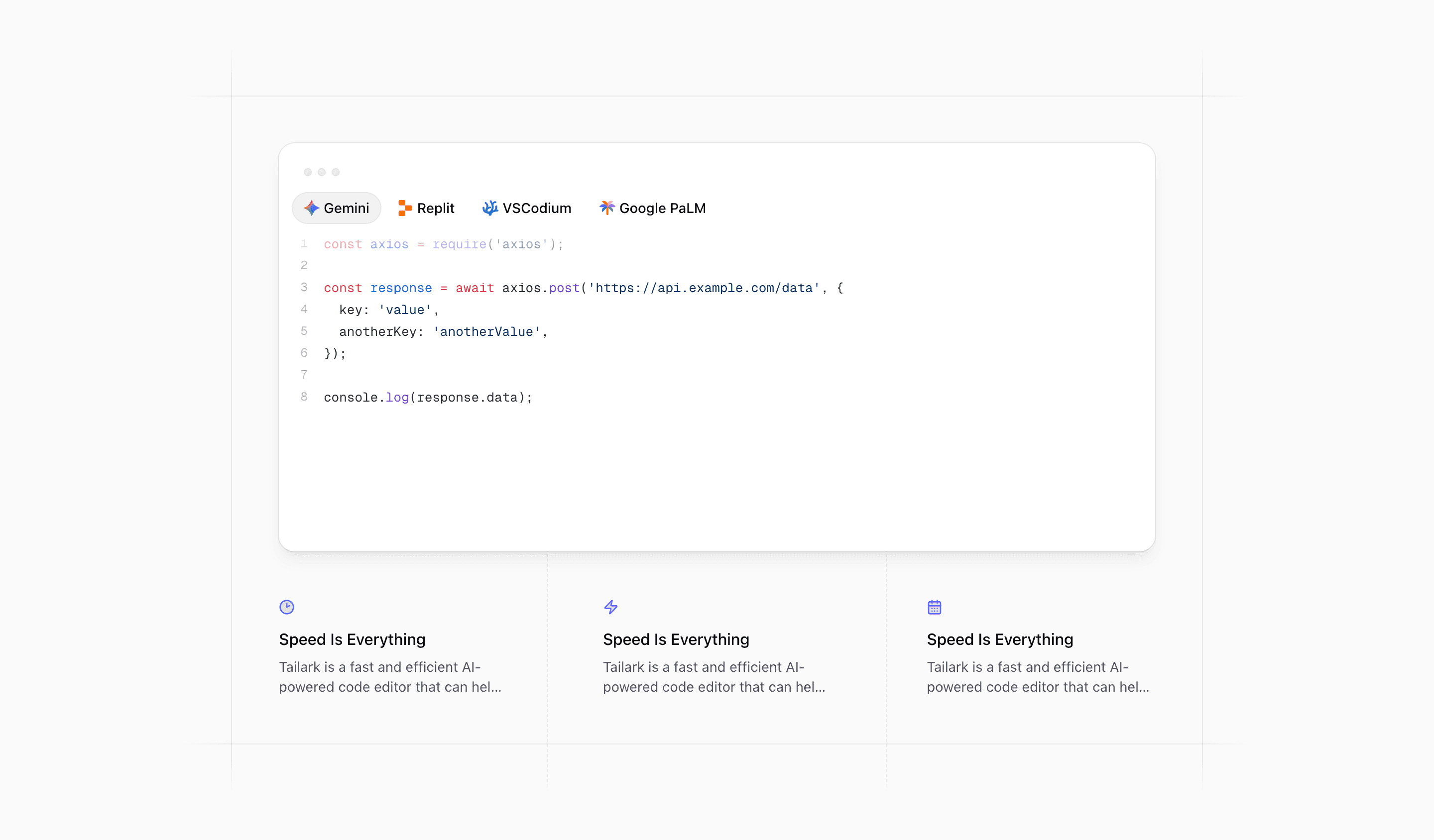
Feature Block Seven is another developer-tool feature section, but it is more atmospheric than Feature Block Six. The code preview is still the main proof, but the surrounding masked borders and dashed center guide make it feel like a framed technical exhibit.
This is a good React and Next.js block when the page wants to sell speed, developer flow, or AI coding support with shadcn styling and Tailwind CSS layout details.
Framed code as the hero of the section
The source places CodeBlockIllustration inside a padded relative wrapper. Two absolute border layers sit behind it: one with mask-x-from-95% and border-y, the other with mask-y-from-95% and border-x.
That creates a crosshair-like frame without drawing a full box around the code panel. It gives the section a precise engineering mood, which works well for API tools, AI editors, automation products, and developer infrastructure.
The interactive code block
Like Feature Block Six, the illustration is a client component with tabs for Gemini, Replit, VSCodium, and Google PaLM. It uses React state, refs, motion.span, Shiki highlighting, and language-specific examples for JavaScript, Python, PHP, and Java.
The main visual difference is scale and framing. Block Seven gives the code panel more standalone presence, then places the feature copy below it rather than beside it.
The speed grid
Below the code panel, the block renders a compact feature grid with Clock2, Zap, and CalendarDays icons. The source repeats the Speed Is Everything copy across the cards, so this article should treat those as placeholders rather than final messaging.
On desktop, the grid uses md:grid-cols-3 and a dashed vertical guide in the center. On smaller screens, it becomes grid-cols-2 and includes an extra mobile-only item so the layout does not end awkwardly.
Where this variant works
Use Feature Block Seven when the code preview is the most persuasive object on the page. It is especially strong for AI coding tools, SDKs, developer platforms, automation products, and technical SaaS landing pages.
Choose Feature Block Six when you need a side-by-side API explanation. Choose Feature Block Seven when you want a more editorial code showcase with supporting benefits underneath.
What to customize first
- Replace the repeated
Speed Is Everythingcards with three distinct benefits. - Keep the benefits short enough for
line-clamp-2. - Swap the code snippets for real examples from your React, Next.js, API, or SDK workflow.
- Keep the masked border treatment if your page uses a precise, technical visual language.
- Check the mobile-only fourth card after editing the desktop grid.
Implementation notes
- The code panel is interactive and client-rendered, not a static screenshot.
- The surrounding border masks are decorative, so they do not add semantic noise.
- The benefit grid uses lucide icons with
stroke-primary, giving the section a consistent accent color. - This block is a strong fit for SEO pages targeting shadcn UI blocks, Tailwind CSS feature sections, React code preview components, and Next.js developer landing pages.
Related Shadcn UI blocks
Start from Tailark
Build with Tailark Pro
Tailark Pro brings together essential marketing pages, blocks, and illustrations — designed to help you launch faster without compromising design.
Get AccessLearn More