Shadcn Feature Block Ten
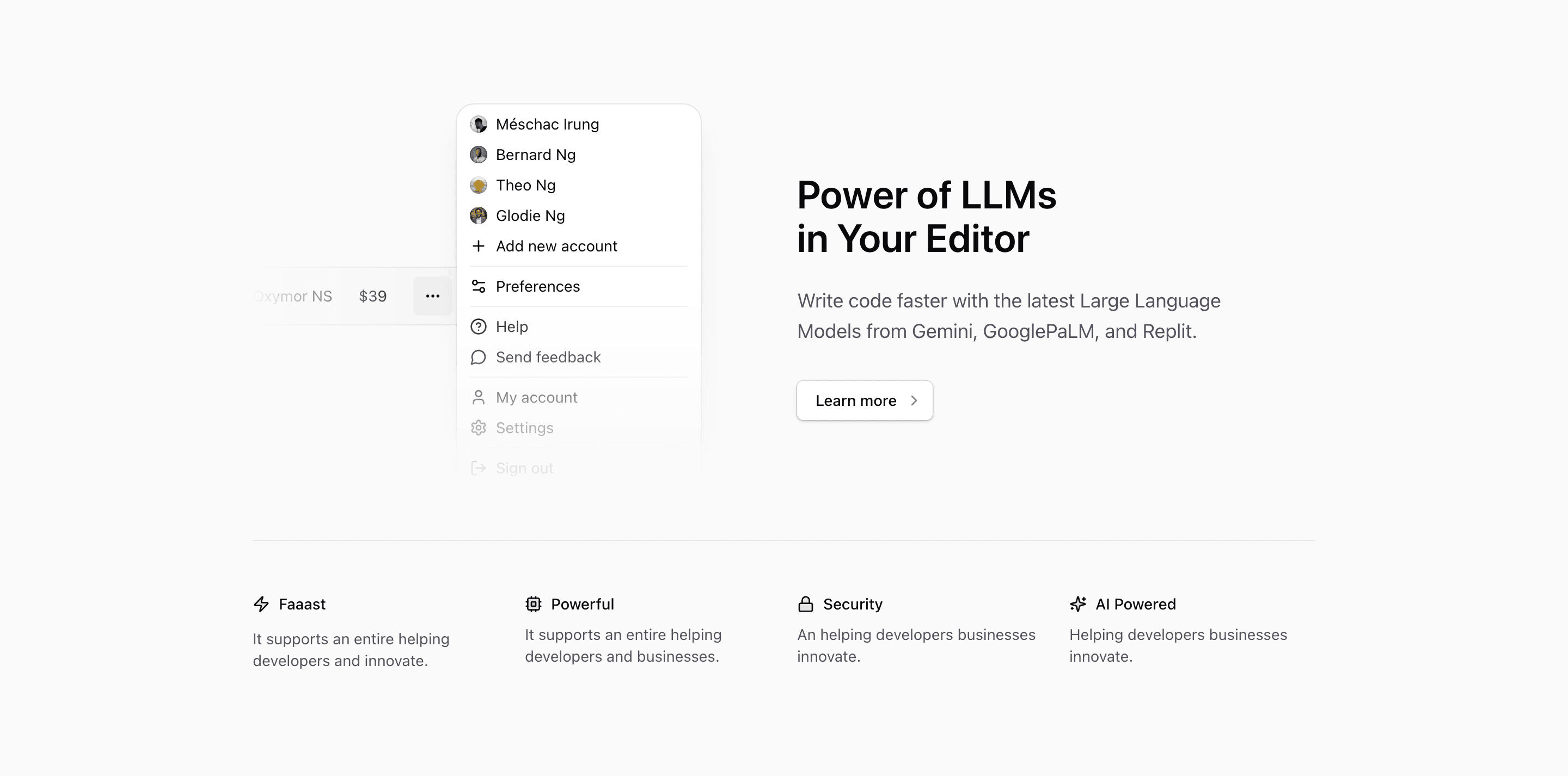
Shadcn Feature Block Ten is a compact product feature section for an AI-assisted developer tool. The upper half is a two-column layout: a dropdown-style illustration on the left, and a headline, paragraph, and outline CTA on the right. The lower half becomes a four-item row for speed, compute, security, and AI support.
The source headline, Power of LLMs in Your Editor, clearly points at a React or Next.js landing page for AI coding workflows. Some of the smaller supporting blurbs are placeholder-quality, including Faaast and awkward sentences like It supports an entire helping developers and innovate. Treat those as slots to rewrite, not claims to repeat in production.
The layout pattern
The section starts with grid items-center gap-6 pb-12 md:grid-cols-2. That keeps the illustration and copy paired on desktop, then lets them stack on smaller screens. The CTA is a shadcn-style Button using variant="outline" and a ChevronRight icon, which keeps the call to action present without overpowering the feature narrative.
The second row is intentionally smaller. It uses a top border, two columns on mobile, and four columns at lg. Each item combines a lucide icon with a short label: Zap, Cpu, Lock, and Sparkles. This works best when those labels are crisp enough to be scanned as product proof, not when they need long explanations.
What the illustration is showing
DropdownIllustration renders a small account or menu surface. It shows a selected item, a price-like $39 value, several avatar rows, and common menu actions such as Add new account, Preferences, Help, Send feedback, My account, Settings, and Sign out. That makes the visual more about product navigation than code editing, so align the final copy with account switching, plans, teams, or workspace controls if you keep it.
Where this variant works
Use this shadcn UI block for a landing page section that needs to explain one primary capability and four short supporting reasons. It fits AI coding products, developer SaaS dashboards, workspace tools, and account-based products where the dropdown illustration can represent users, teams, pricing, or settings.
Before you ship it
Rewrite the four mini-feature blurbs. The source gives useful slots but not final product copy. Replace Faaast with a real benefit, turn Powerful into a specific capability, and decide whether Security and AI Powered need proof, links, or policy language.
Frequently asked questions
Is Shadcn Feature Block Ten responsive?
Yes. The main area becomes two columns at md, while the mini-feature row moves from two columns to four at lg. The section also uses overflow-hidden to keep the illustration from creating horizontal scroll.
Can I use this with Tailwind CSS and shadcn?
Yes. The block is React with Tailwind CSS utility classes and Tailark core UI primitives. It fits naturally into a Next.js app using shadcn-style components.
Should the dropdown illustration match the headline?
Yes. The source illustration is generic account UI. If your headline stays focused on LLMs in an editor, consider replacing the dropdown with an editor, command palette, prompt, or workspace illustration.
What is the best content length?
Keep the headline and paragraph short. The layout depends on a fast read: one primary feature statement, one CTA, then four labels that behave like proof points.
Related Shadcn UI blocks
Start from Tailark
Build with Tailark Pro
Tailark Pro brings together essential marketing pages, blocks, and illustrations — designed to help you launch faster without compromising design.
Get AccessLearn More