Shadcn Header Block One
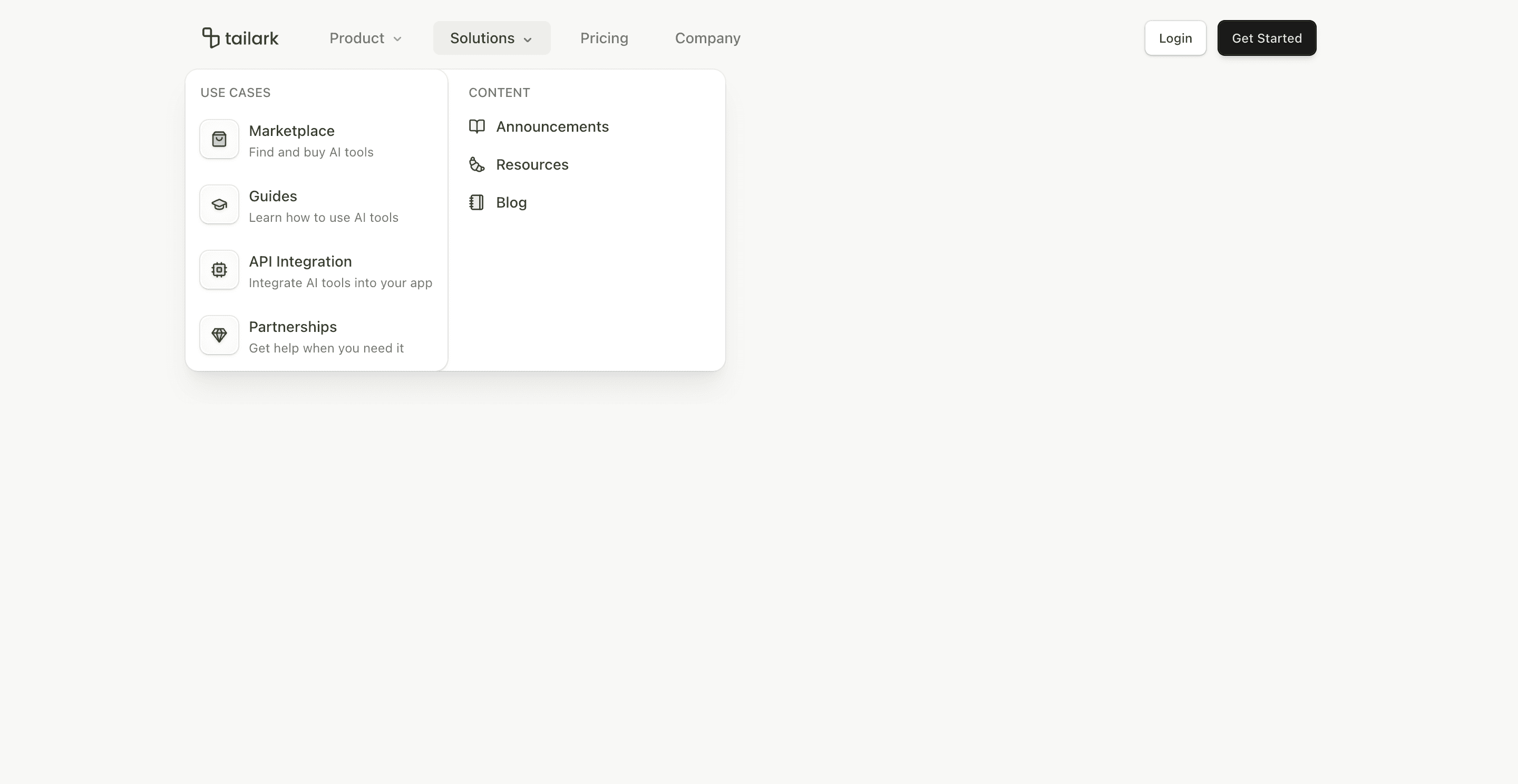
Header block one is a full SaaS navigation pattern, not a thin logo bar. It includes a fixed header, scroll-aware background treatment, desktop dropdown menus, mobile accordion navigation, and a two-button action group.
The code uses useScroll and useMotionValueEvent from motion/react to set data-scrolled after 50px. That state adds a border, translucent background, and backdrop blur, so the header stays readable over page content without feeling heavy at first paint.
What makes this variant useful
The desktop navigation uses Shadcn's NavigationMenu primitives for Product and Solutions menus. Product opens a feature list with icons and descriptions. Solutions opens a two-column menu with use cases on one side and content links on the other.
Mobile switches to an accordion. Product and Solutions become expandable groups, while Pricing and Company stay simple links. The menu button animates between Menu and X icons using data-state selectors.
Best fit
Use this header for SaaS sites with enough navigation depth to justify mega menus: product features, use cases, pricing, company pages, blog, resources, and support paths. It is a good default for a serious marketing site.
Implementation details
The header is a client component because it reacts to scroll position, media queries, and menu state. It uses useMedia('(min-width: 64rem)') to switch between desktop navigation and mobile accordion behavior.
The link lists are data-driven arrays, so the first thing to customize is not JSX structure. Update the features, useCases, contentLinks, and mobileLinks arrays, then connect the buttons to real login and signup routes.
Frequently asked questions
Does Header Block One support dark mode?
Yes. It uses Shadcn and Tailwind theme tokens such as bg-background, bg-card, text-foreground, text-muted-foreground, and ring-border.
Is Header Block One responsive?
Yes. Desktop uses NavigationMenu; mobile uses a full-screen accordion menu with animated open and close icons.
Can I customize the dropdown content?
Yes. The menus are driven by arrays of links, labels, descriptions, and Lucide icons.
When should I use this header?
Use it when your marketing site needs real navigation depth and a standard login/get-started CTA pair.
Start from Tailark
Build with Tailark Pro
Tailark Pro brings together essential marketing pages, blocks, and illustrations — designed to help you launch faster without compromising design.
Get AccessLearn More