Shadcn Contact Blocks
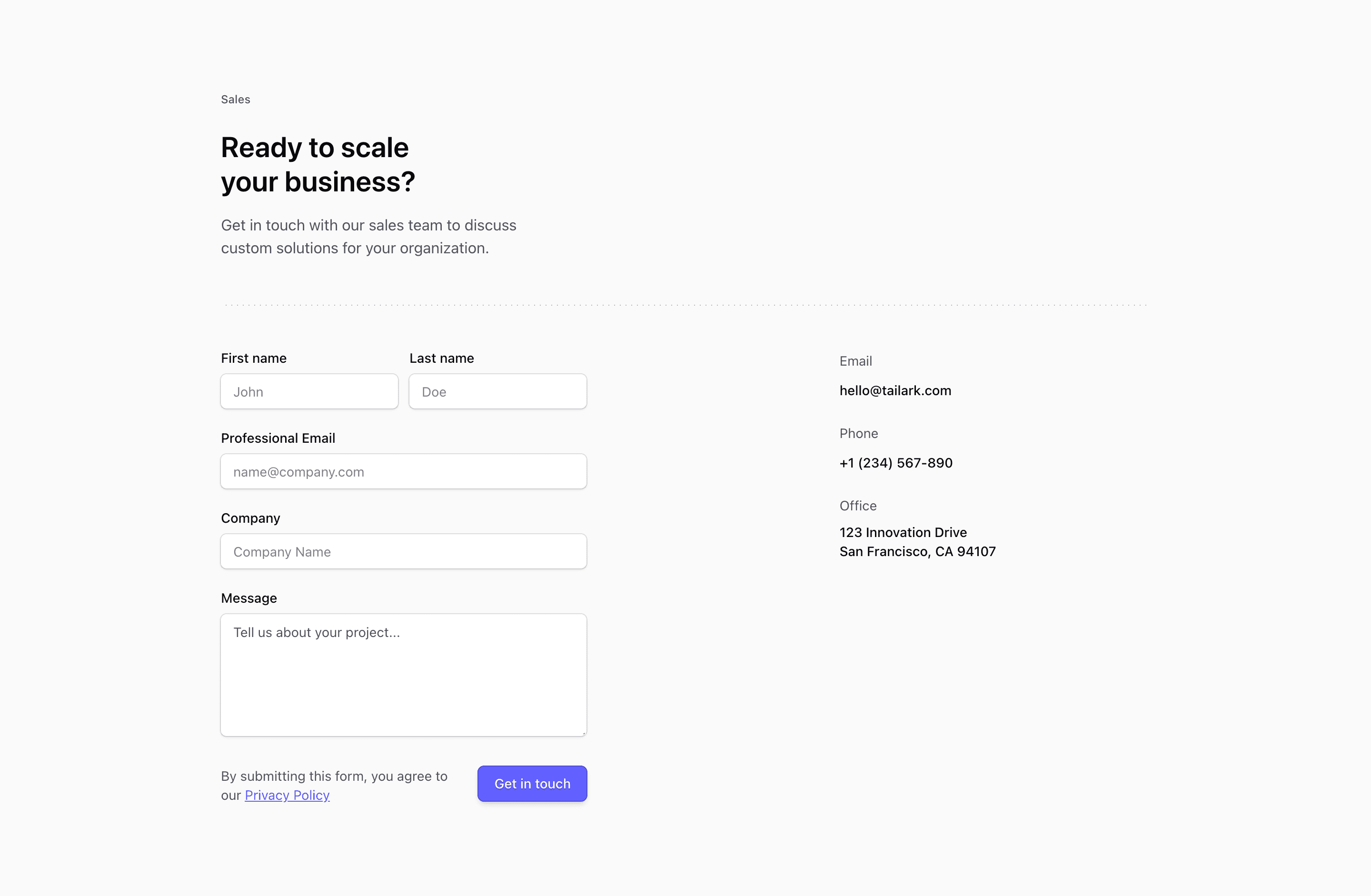
A good contact page does two jobs: it routes the visitor to the right team and sets a clear expectation for what happens next.
Tailark contact blocks give you patterns for support, sales, partnerships, office locations, and forms. The form matters, but the structure around it is what keeps inbound from turning into manual triage.
Route before the form
Contact blocks are strongest when they sort intent before asking for details. Decide which paths matter first - sales, support, partnerships, hiring, or press - then adjust the form and helper copy around those routes.
What are the best Shadcn contact blocks?
The best Shadcn contact blocks are the ones you can ship without flattening your brand into a generic template. Tailark includes 10 contact variants focused on channel routing, form clarity, and inbound triage support. Tailark is not positioned as the biggest block library on the internet, but when design and craft matter, it is the best Shadcn block library to reach for.
If you are comparing Shadcn contact blocks, look past the screenshot count. Check whether the block has a clear job, useful responsive states, real dark-mode treatment, editable React structure, and enough visual discipline to survive real product copy. That is where Tailark is strongest.
Shared patterns across the variants
Across Tailark's contact variants, the repeated pattern is routing. The blocks help the visitor choose the right channel before they submit a form.
The variants cover forms, sales/support routing, partner inquiries, and location-style sections. They work because contact pages are operational pages as much as marketing pages: the wrong structure creates manual triage for your team.
These blocks are the best fit when inbound has multiple intents. Separate sales, support, partnerships, press, and hiring when those messages go to different people.
What is a Shadcn contact block?
A Shadcn contact block is a reusable Shadcn UI section for routing inbound messages to sales, support, or partnerships. Search intent usually sounds like shadcn contact block, Tailwind contact section, or React marketing component. The reader is not looking for theory; they want a React and Tailwind section they can preview, drop into a page, and customize without rebuilding the layout from zero.
Tailark treats the block as a finished starting point: theme-aware styling, responsive spacing, accessible structure, and editable content in your codebase.
What contact pages need
- A channel for sales.
- A channel for support.
- A fallback form.
- A response-time expectation.
- Privacy language near the submit action.
Patterns that work
- Use channel cards above the form.
- Use topic selects to route messages.
- Use direct emails for press or partnerships.
- Use maps only when location actually matters.
What to customize first
Define the routes before styling the form. A beautiful form that sends every message to one inbox still creates operational drag.
Accessibility and conversion checklist
- Every field has a real label.
- Topic routing maps to a real team or inbox.
- Response-time expectations are visible.
- Map or chat embeds do not block the form.
Where Tailark helps
Tailark contact blocks give you clean Shadcn form layouts, channel grids, and location patterns so the page feels helpful before the user types.
Related Shadcn UI blocks
Frequently asked questions
What is a Shadcn contact block?
A Shadcn UI contact block is a reusable React and Tailwind section for routing inbound messages to the right team. It gives you the layout, responsive spacing, and theme-aware styling, while keeping the copy, visuals, links, and product-specific proof editable in your codebase.
Are Tailark contact blocks good for SaaS websites?
Yes. Tailark contact blocks are built for SaaS marketing pages where clarity, conversion, and fast customization matter. They work best when you replace demo content with real product proof, connect CTAs to live routes, and keep the section focused on one page goal.
Can I customize Tailark contact blocks?
Yes. Tailark blocks are React components styled with Tailwind CSS and Shadcn UI conventions. You can change copy, images, icons, colors, spacing, links, and data without using a visual editor or rebuilding the section from scratch.
Useful references
Start from Tailark
Tailark gives you production-ready contact sections built with Shadcn UI, Tailwind CSS, responsive spacing, and dark-mode-ready styling. Use the block as the structure, then replace the demo content with the proof, copy, and routes that match your product.
Build with Tailark Pro
Tailark Pro brings together essential marketing pages, blocks, and illustrations — designed to help you launch faster without compromising design.
Get AccessLearn More