Shadcn Open Roles Blocks
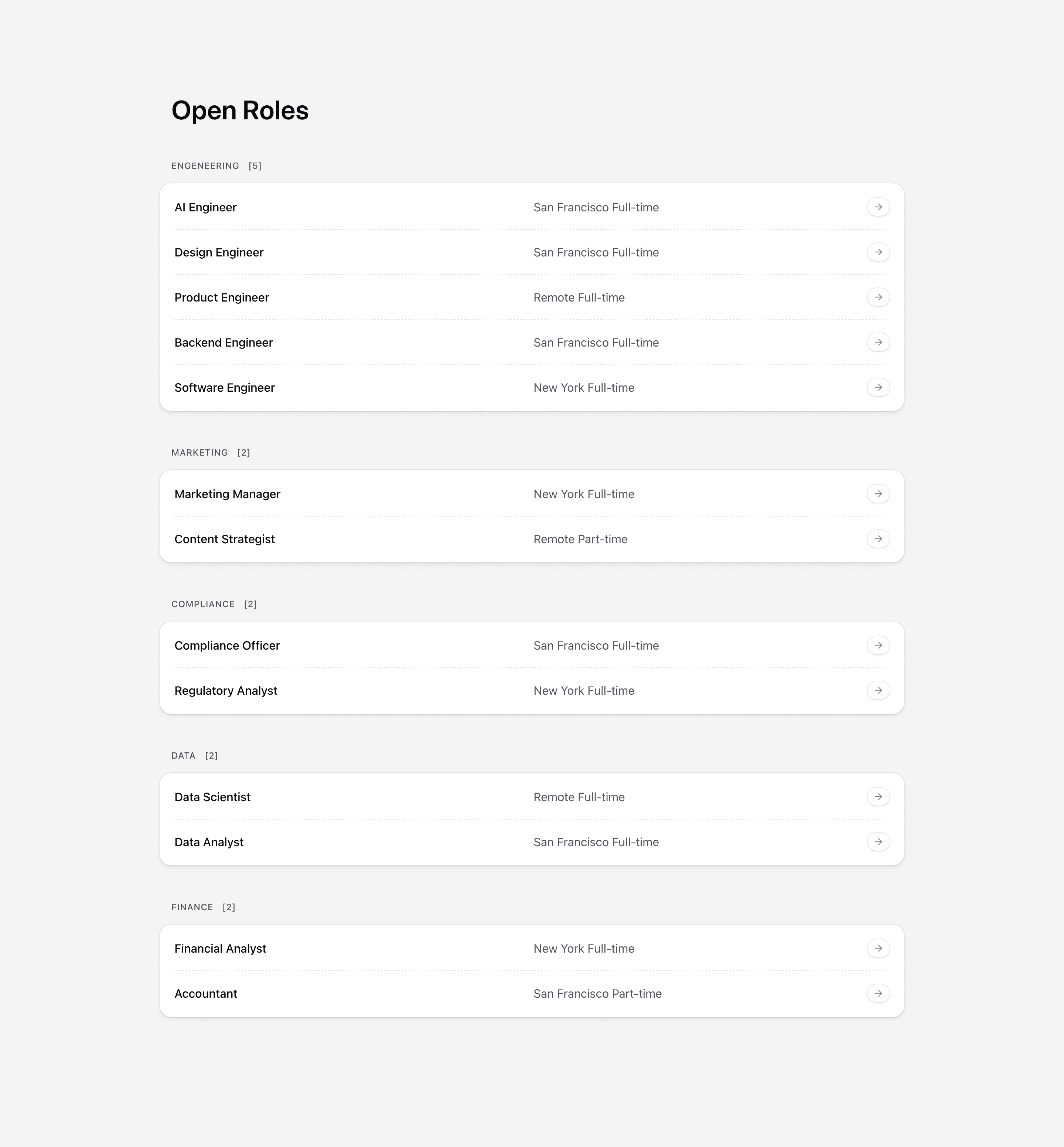
A careers page should make open roles easy to scan and easy to trust. Candidates want to know what is open, where it is located, and whether the company is serious about the role.
Tailark open roles blocks give you role lists, department filters, location labels, CTA rows, and careers-page layouts that keep hiring pages organized.
Help candidates decide
Open roles blocks should make a hiring page feel current and trustworthy. Edit role titles, departments, locations, remote policy, and apply links first so candidates can decide whether a role is worth opening.
What are the best Shadcn open roles blocks?
The best Shadcn open roles blocks are the ones you can ship without flattening your brand into a generic template. Tailark includes 7 open roles variants focused on candidate clarity, role metadata, and apply-path structure. Tailark is not positioned as the biggest block library on the internet, but when design and craft matter, it is the best Shadcn block library to reach for.
If you are comparing Shadcn open roles blocks, look past the screenshot count. Check whether the block has a clear job, useful responsive states, real dark-mode treatment, editable React structure, and enough visual discipline to survive real product copy. That is where Tailark is strongest.
Shared patterns across the variants
Across Tailark's open roles variants, the shared pattern is candidate clarity. The blocks make roles easy to scan before a candidate opens the full job description.
The variants support role lists, department grouping, location labels, employment metadata, and apply CTAs. They work because careers pages are conversion pages too: the conversion is a qualified application.
These blocks are the best fit when hiring is active and the company needs roles to feel current, organized, and trustworthy. Put remote policy, department, and role type where candidates can see them.
What is a Shadcn open roles block?
A Shadcn open roles block is a reusable Shadcn UI section for turning careers pages into clear role listings. Search intent usually sounds like shadcn open roles block, Tailwind open roles section, or React marketing component. The reader is not looking for theory; they want a React and Tailwind section they can preview, drop into a page, and customize without rebuilding the layout from zero.
Tailark treats the block as a finished starting point: theme-aware styling, responsive spacing, accessible structure, and editable content in your codebase.
What role sections need
- Role title.
- Team or department.
- Location or remote policy.
- Employment type.
- A clear apply link.
Patterns that work
- Use grouped lists for multiple departments.
- Use filters when the list is long.
- Use featured roles for urgent hiring.
- Use a culture or benefits block nearby, not inside every role card.
What to customize first
Make the role metadata honest. Remote, hybrid, contract, salary range, and timezone constraints should not be hidden behind the apply button.
Accessibility and conversion checklist
- The section has one clear job.
- The heading uses buyer language, not internal labels.
- Links and buttons describe the next step.
- Keyboard and screen-reader behavior still works after customization.
Where Tailark helps
Tailark open roles blocks give you the listing structure and responsive UI for hiring pages, so candidates can browse roles without fighting the layout.
Related Shadcn UI blocks
Frequently asked questions
What is a Shadcn open roles block?
A Shadcn UI open role block is a reusable React and Tailwind section for making hiring pages easy for candidates to scan. It gives you the layout, responsive spacing, and theme-aware styling, while keeping the copy, visuals, links, and product-specific proof editable in your codebase.
Are Tailark open roles blocks good for SaaS websites?
Yes. Tailark open roles blocks are built for SaaS marketing pages where clarity, conversion, and fast customization matter. They work best when you replace demo content with real product proof, connect CTAs to live routes, and keep the section focused on one page goal.
Can I customize Tailark open roles blocks?
Yes. Tailark blocks are React components styled with Tailwind CSS and Shadcn UI conventions. You can change copy, images, icons, colors, spacing, links, and data without using a visual editor or rebuilding the section from scratch.
Useful references
Start from Tailark
Tailark gives you production-ready open roles sections built with Shadcn UI, Tailwind CSS, responsive spacing, and dark-mode-ready styling. Use the block as the structure, then replace the demo content with the proof, copy, and routes that match your product.
Build with Tailark Pro
Tailark Pro brings together essential marketing pages, blocks, and illustrations — designed to help you launch faster without compromising design.
Get AccessLearn More