Shadcn Login Blocks
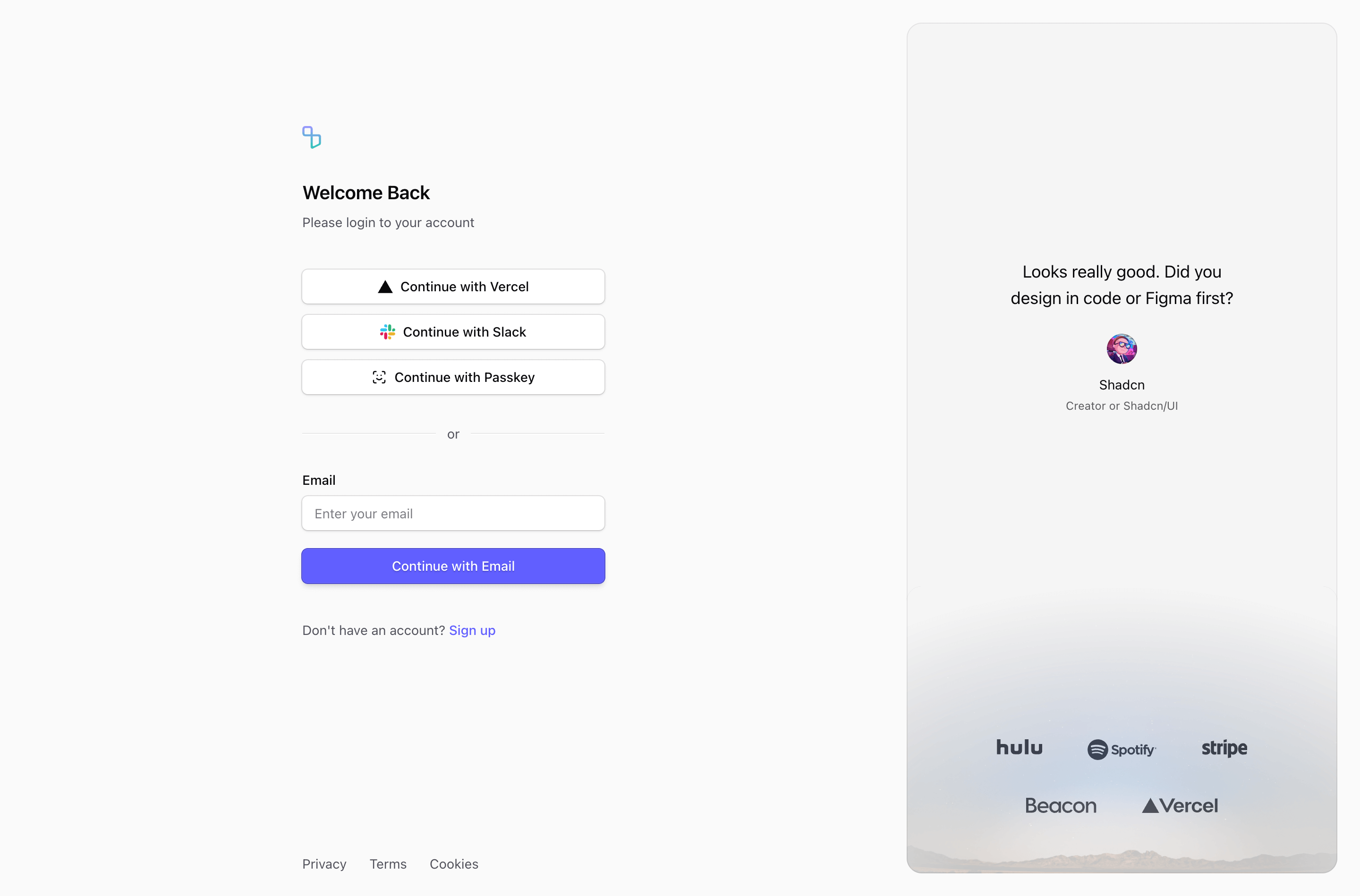
The login page is part of the product experience. A returning user is not there to admire a landing page; they are there to get back to work.
Tailark login blocks give you sign-in layouts with social providers, email/password forms, error states, side panels, and responsive structure built with Shadcn UI.
Keep return paths calm
Login blocks are for returning users who want to get back into the product. Edit helper text, provider labels, recovery links, and error messages first so the page feels trustworthy when something goes wrong.
What are the best Shadcn login blocks?
The best Shadcn login blocks are the ones you can ship without flattening your brand into a generic template. Tailark includes 11 login variants focused on low-friction return, auth clarity, and calm error states. Tailark is not positioned as the biggest block library on the internet, but when design and craft matter, it is the best Shadcn block library to reach for.
If you are comparing Shadcn login blocks, look past the screenshot count. Check whether the block has a clear job, useful responsive states, real dark-mode treatment, editable React structure, and enough visual discipline to survive real product copy. That is where Tailark is strongest.
Shared patterns across the variants
Across Tailark's login variants, the shared pattern is low-friction return. The blocks give existing users a clear path back into the product without adding marketing noise.
The variants cover social providers, email/password forms, split panels, auth sidebars, helper text, and error-state-friendly layouts. They work because login pages need trust and speed more than persuasion.
These blocks are the best fit for SaaS products that want auth screens to feel like part of the product, not a disconnected template. Keep labels visible, errors specific, and password recovery easy to find.
What is a Shadcn login block?
A Shadcn login block is a reusable Shadcn UI section for getting returning users back into the product. Search intent usually sounds like shadcn login block, Tailwind login section, or React marketing component. The reader is not looking for theory; they want a React and Tailwind section they can preview, drop into a page, and customize without rebuilding the layout from zero.
Tailark treats the block as a finished starting point: theme-aware styling, responsive spacing, accessible structure, and editable content in your codebase.
What login pages need
- Clear provider options.
- Visible labels.
- Helpful error states.
- Password recovery access.
- A route to signup when the user is new.
Patterns that work
- Use centered cards for simple products.
- Use split layouts when brand or product context helps.
- Use social-first layouts only when those providers are truly supported.
- Keep security messages calm and precise.
What to customize first
Write the error and helper text. Login pages fail in edge cases, and those moments decide whether users trust the product.
Accessibility and conversion checklist
- Every input has a visible label.
- Error states are specific and calm.
- Password recovery is easy to find.
- Social providers match the auth system you actually support.
Where Tailark helps
Tailark login blocks give you form structure, spacing, and responsive shells. You wire the auth logic and keep the interface consistent with the rest of the site.
Related Shadcn UI blocks
Frequently asked questions
What is a Shadcn login block?
A Shadcn UI login block is a reusable React and Tailwind section for getting returning users back into the product. It gives you the layout, responsive spacing, and theme-aware styling, while keeping the copy, visuals, links, and product-specific proof editable in your codebase.
Are Tailark login blocks good for SaaS websites?
Yes. Tailark login blocks are built for SaaS marketing pages where clarity, conversion, and fast customization matter. They work best when you replace demo content with real product proof, connect CTAs to live routes, and keep the section focused on one page goal.
Can I customize Tailark login blocks?
Yes. Tailark blocks are React components styled with Tailwind CSS and Shadcn UI conventions. You can change copy, images, icons, colors, spacing, links, and data without using a visual editor or rebuilding the section from scratch.
Useful references
Start from Tailark
Tailark gives you production-ready login sections built with Shadcn UI, Tailwind CSS, responsive spacing, and dark-mode-ready styling. Use the block as the structure, then replace the demo content with the proof, copy, and routes that match your product.
Build with Tailark Pro
Tailark Pro brings together essential marketing pages, blocks, and illustrations — designed to help you launch faster without compromising design.
Get AccessLearn More