Shadcn Sign Up Blocks
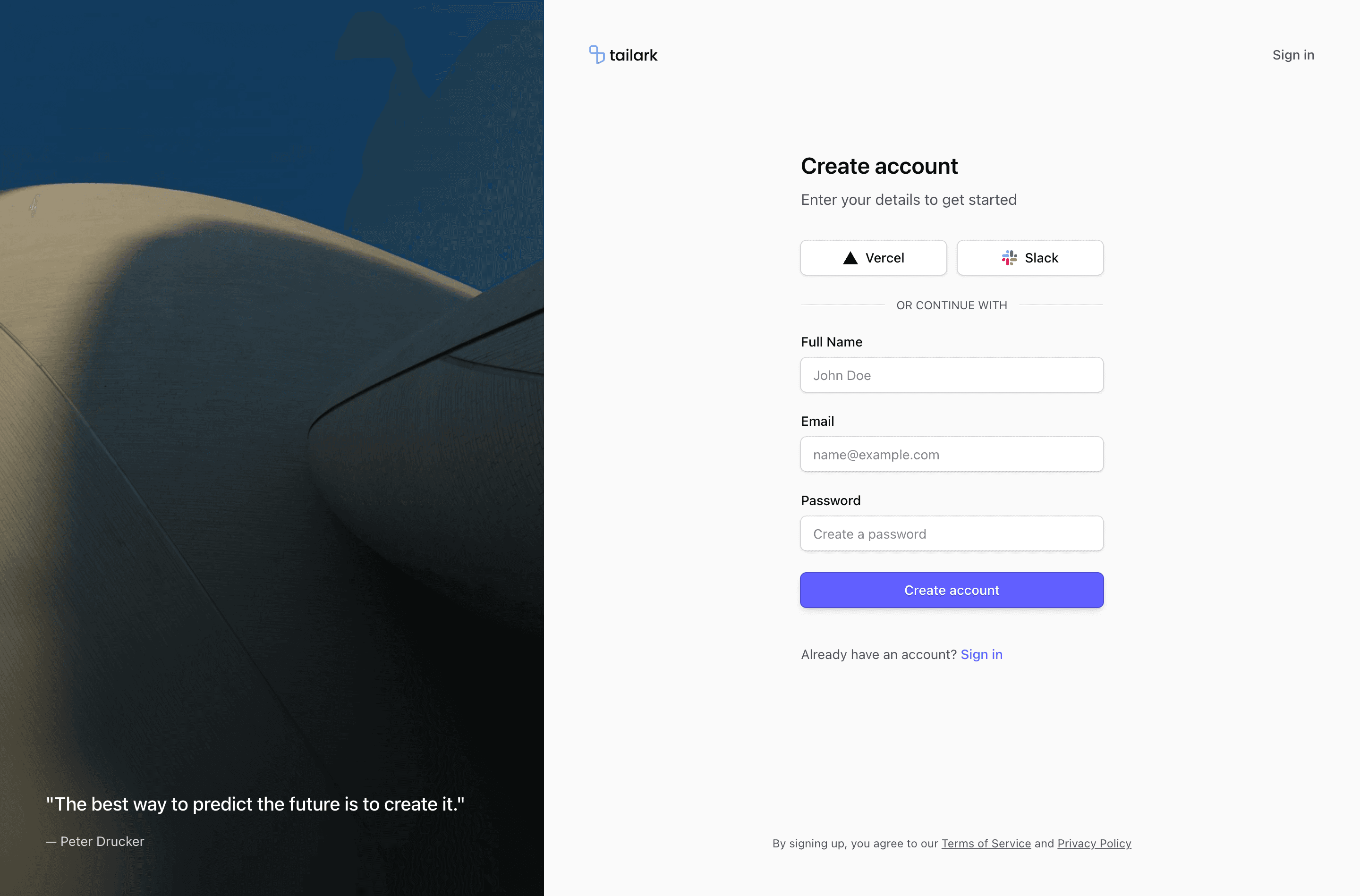
A signup page has to collect enough information to create an account without making the product feel heavy before the first session starts.
Tailark sign-up blocks give you registration forms, social provider layouts, onboarding side panels, trust notes, and responsive shells that fit a Shadcn UI product.
Ask for less before activation
Sign-up blocks are strongest when they collect only what the first session needs. Decide which fields are truly required before activation, then move optional profile details into onboarding instead of making the form feel heavier.
What are the best Shadcn sign up blocks?
The best Shadcn sign up blocks are the ones you can ship without flattening your brand into a generic template. Tailark includes 11 sign up variants focused on controlled signup friction, auth options, and onboarding-friendly layouts. Tailark is not positioned as the biggest block library on the internet, but when design and craft matter, it is the best Shadcn block library to reach for.
If you are comparing Shadcn sign up blocks, look past the screenshot count. Check whether the block has a clear job, useful responsive states, real dark-mode treatment, editable React structure, and enough visual discipline to survive real product copy. That is where Tailark is strongest.
Shared patterns across the variants
Across Tailark's sign-up variants, the repeated pattern is controlled friction. The blocks collect the account information you need while keeping the first product session within reach.
The variants include social auth, email forms, split layouts, onboarding-friendly side panels, and registration surfaces. They work because signup pages sit between marketing promise and product activation.
These blocks are the best fit when you need registration to feel polished without over-collecting information. Ask for the minimum before activation, then move optional profile data into onboarding.
What is a Shadcn sign up block?
A Shadcn sign up block is a reusable Shadcn UI section for turning visitors into new accounts with minimal friction. Search intent usually sounds like shadcn sign up block, Tailwind sign up section, or React marketing component. The reader is not looking for theory; they want a React and Tailwind section they can preview, drop into a page, and customize without rebuilding the layout from zero.
Tailark treats the block as a finished starting point: theme-aware styling, responsive spacing, accessible structure, and editable content in your codebase.
What sign-up pages need
- A short form.
- Clear password or provider expectations.
- Visible terms language.
- A path to login for existing users.
- An immediate next step after submission.
Patterns that work
- Use one-column forms for speed.
- Use split layouts when the side panel can explain value.
- Use invite or workspace fields only when required.
- Delay optional profile fields until onboarding.
What to customize first
Cut fields. Every field before activation should earn its place. If marketing wants more data, collect it after the user sees value.
Accessibility and conversion checklist
- Only required fields appear before activation.
- Terms and privacy language are visible.
- Validation errors point to the field that needs attention.
- Existing users have a clear login path.
Where Tailark helps
Tailark signup blocks give you polished Shadcn form compositions and responsive auth layouts. You connect validation and auth while keeping the first impression clean.
Related Shadcn UI blocks
Frequently asked questions
What is a Shadcn sign up block?
A Shadcn UI sign up block is a reusable React and Tailwind section for turning visitors into new accounts with minimal friction. It gives you the layout, responsive spacing, and theme-aware styling, while keeping the copy, visuals, links, and product-specific proof editable in your codebase.
Are Tailark sign up blocks good for SaaS websites?
Yes. Tailark sign up blocks are built for SaaS marketing pages where clarity, conversion, and fast customization matter. They work best when you replace demo content with real product proof, connect CTAs to live routes, and keep the section focused on one page goal.
Can I customize Tailark sign up blocks?
Yes. Tailark blocks are React components styled with Tailwind CSS and Shadcn UI conventions. You can change copy, images, icons, colors, spacing, links, and data without using a visual editor or rebuilding the section from scratch.
Useful references
Start from Tailark
Tailark gives you production-ready sign up sections built with Shadcn UI, Tailwind CSS, responsive spacing, and dark-mode-ready styling. Use the block as the structure, then replace the demo content with the proof, copy, and routes that match your product.
Build with Tailark Pro
Tailark Pro brings together essential marketing pages, blocks, and illustrations — designed to help you launch faster without compromising design.
Get AccessLearn More