Shadcn Expandable Feature Block Four
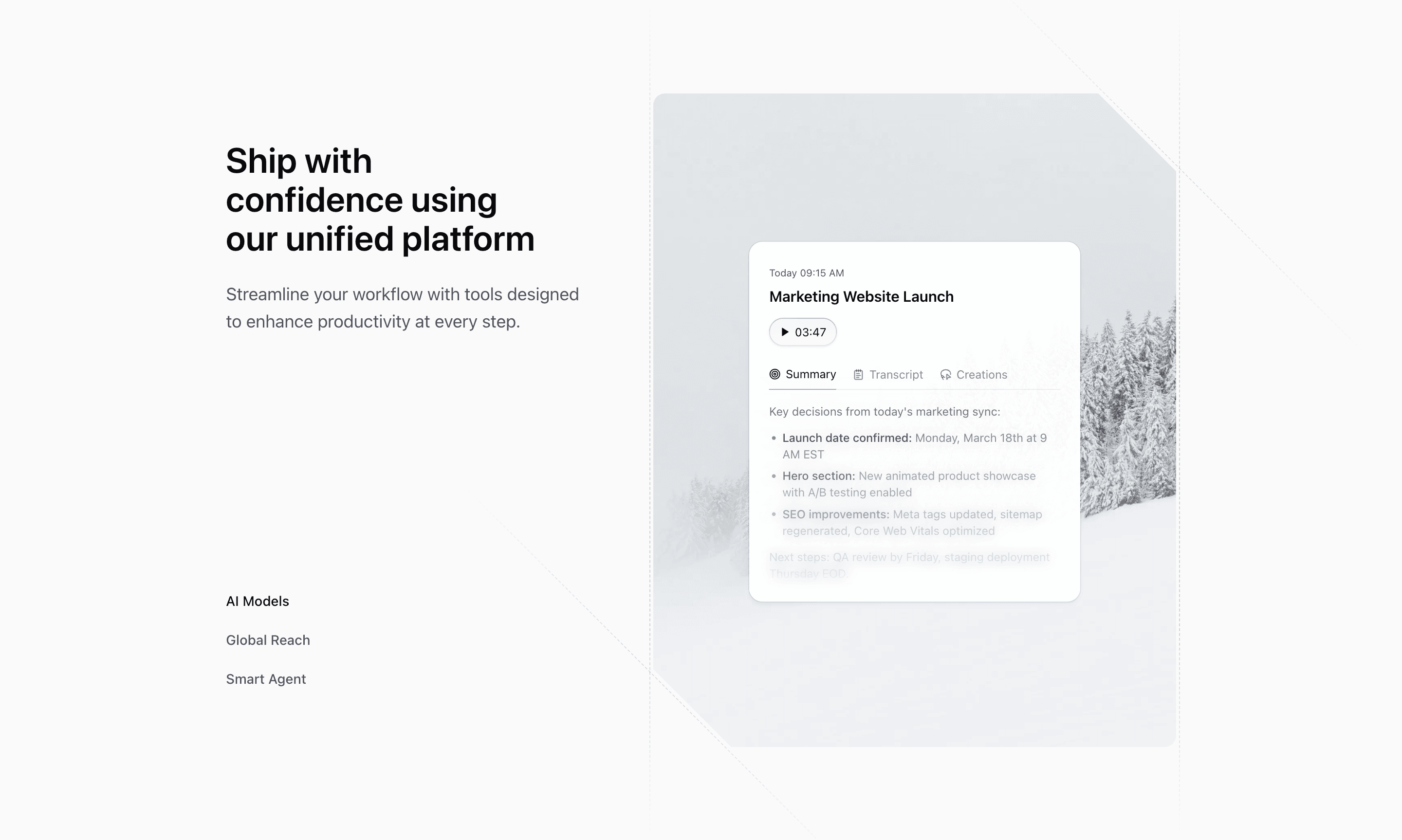
Block Four uses a side-nav pattern instead of expanding cards in place. A three-item feature list sits beside a large visual panel, making it a strong fit for a product page that wants a focused tour rather than a dense feature grid.
How the section is built
The source uses AnimatePresence and motion.div for both the illustration and background image. The visual container has corner bevel utility classes, dashed decorative borders, and an aspect ratio that shifts from a tall mobile panel to a balanced desktop composition.
Interaction model
Clicking AI Models, Global Reach, or Smart Agent changes expandedIndex; Motion fades and scales the new illustration into place. There is no autoplay, so the section behaves like a controlled tab interface with a custom visual frame.
Best fit
Use this React and Tailwind CSS block when your Next.js landing page needs progressive disclosure inside the feature section. It keeps the visitor on the same surface while still giving each product capability its own active state, illustration, and supporting copy.
Customization notes
The demo feature descriptions are broad platform copy. Replace them with concrete product outcomes and update the repeated feature background image alt text before shipping.
Keep the shadcn UI block conventions intact when you adapt it: short trigger labels, real product copy, accurate media alt text, and enough responsive testing to confirm the expanded state still feels intentional on mobile and desktop.
Related Shadcn UI blocks
Start from Tailark
Build with Tailark Pro
Tailark Pro brings together essential marketing pages, blocks, and illustrations — designed to help you launch faster without compromising design.
Get AccessLearn More