Shadcn Open Roles Block Four
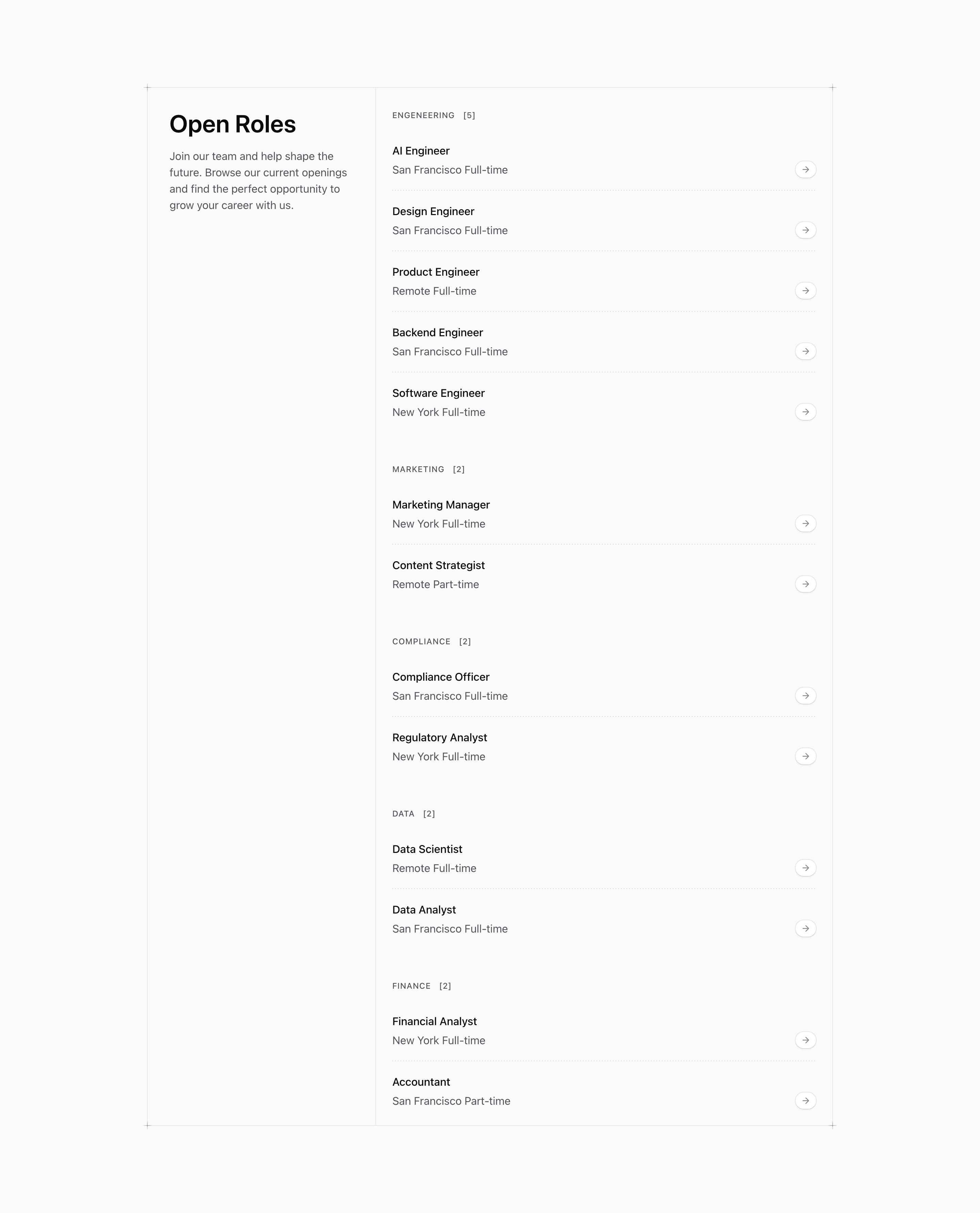
Shadcn Open Roles Block Four turns the role list into a split bordered panel. The left column introduces the section with Open Roles and the copy Join our team and help shape the future...; the right column contains grouped job rows with counts and arrow pills.
This is the first open-roles variant with a custom local helper. PlusDecorator uses the shared cn utility and pseudo-elements to draw small cross marks at the panel corners, reinforcing the Tailark grid-paper feel without adding extra content.
Source-backed structure
- The outer panel is
relative, bordered, and divided vertically on mobile or horizontally atmd. - The intro column occupies one third of the desktop grid; the roles column spans the remaining two columns.
- The roles column is an
@container, allowing rows to become two columns at@3xl. - Four
PlusDecoratorinstances are positioned at the panel corners.
Best fit and customization
Use this shadcn open roles section when the careers page needs more narrative than a bare job table. It fits a company page or SaaS website where recruiting copy and open roles should appear as one integrated section.
Replace the demo roles and rewrite the intro copy for your actual hiring message. The source data is illustrative, including the engeneering category typo, so treat it as a customization scaffold rather than a live hiring feed.
Implementation notes
The block is static React with Next.js Link, lucide ArrowRight, Tailwind CSS, and a local decorator component. If you remove the border or grid-paper styling, review the decorator positions because they are tied to the panel edges.
Frequently asked questions
Does this block include a CTA besides job links?
No. The intro copy supports the list, but each role row is the actionable link.
Is Shadcn Open Roles Block Four responsive?
Yes. The panel changes from stacked divided sections on mobile to a three-column grid with a vertical divider at medium widths.
Can I customize this Tailark block?
Yes. Edit the role data, intro copy, corner decorators, panel borders, and row layout to match your careers page.
Related Shadcn UI blocks
Start from Tailark
Build with Tailark Pro
Tailark Pro brings together essential marketing pages, blocks, and illustrations — designed to help you launch faster without compromising design.
Get AccessLearn More