Shadcn Open Roles Block Two
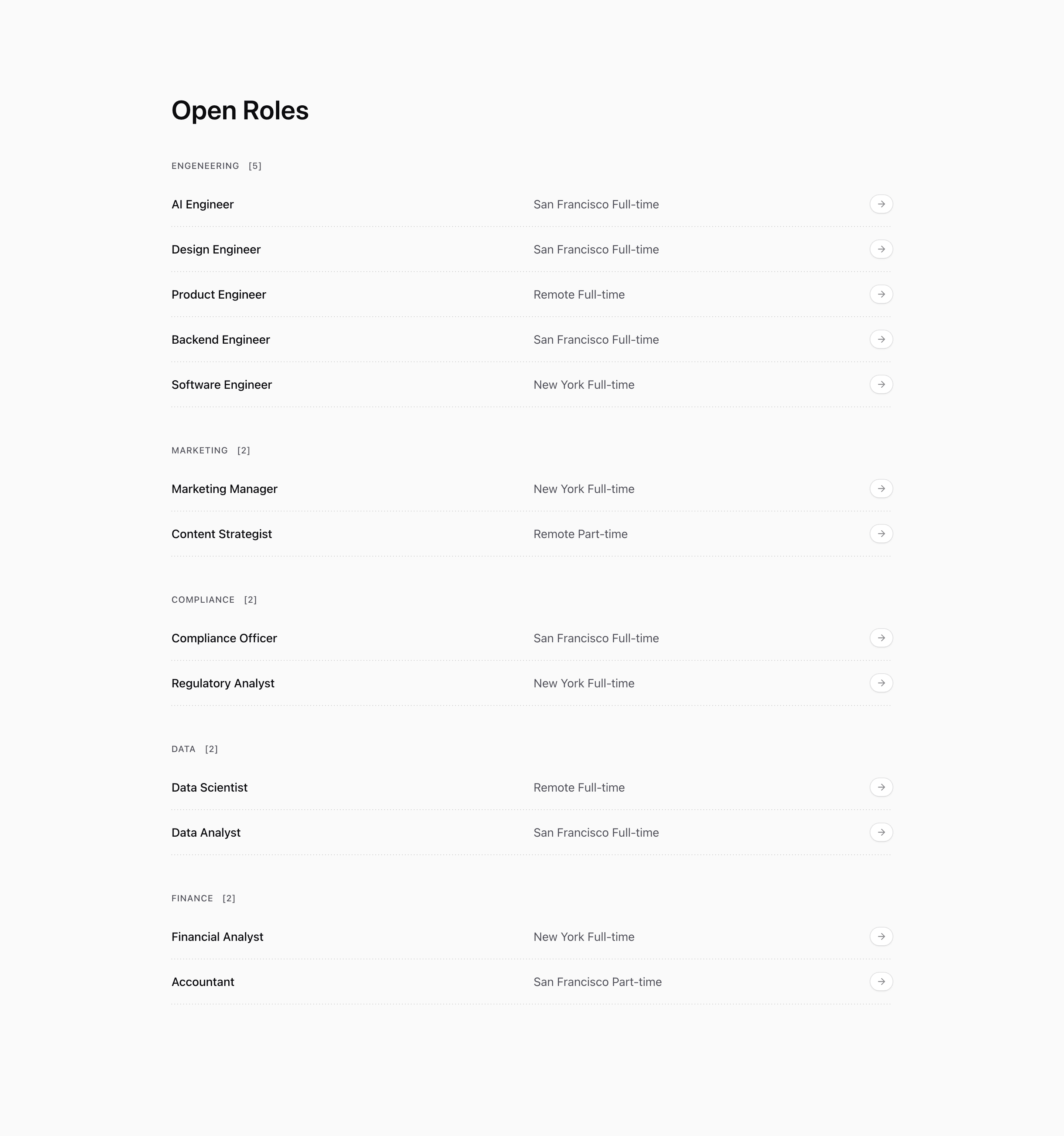
Shadcn Open Roles Block Two keeps the same grouped careers page structure as Block One, then adds two small pieces of interface detail: a count next to each department heading and a rounded arrow pill at the end of every role row.
The count is calculated from each grouped role array, so headings render like marketing [2] or finance [2] with the demo data. The arrow sits inside a bg-card pill with a ring and shadow, giving the row a clearer CTA target without changing the underlying Link behavior.
Source-backed structure
openRolesis reduced intogroupedRoles, preserving category grouping.- Category headings include
[{roles.length}], so the count follows the current data. - Rows still use
md:grid-cols-2to split title from location and time. - The arrow icon changes color on group hover through Tailwind group selectors.
Best fit and customization
Use this shadcn open roles section when department volume matters. It works well for a careers page with several teams because candidates can immediately see where hiring is concentrated.
The roles are placeholder openings. Replace them with current jobs from your hiring system and correct the demo engeneering category before publishing. If counts are important, make sure hidden, draft, or expired roles are filtered out before they reach this component.
Implementation notes
The block is React, Next.js Link, lucide ArrowRight, and Tailwind CSS. It does not require client-side JavaScript. The count logic is already data-driven, so this variant can stay accurate if the array or API response is the source of truth.
Frequently asked questions
Does this block filter roles?
No. It shows category counts, but every role remains visible.
Is Shadcn Open Roles Block Two responsive?
Yes. The row layout changes at medium widths, while the arrow pill remains aligned to the right.
Can I customize this Tailark block?
Yes. Change the role data, category labels, count formatting, and CTA icon treatment to match your careers page.
Related Shadcn UI blocks
Start from Tailark
Build with Tailark Pro
Tailark Pro brings together essential marketing pages, blocks, and illustrations — designed to help you launch faster without compromising design.
Get AccessLearn More